Every cell, live
All cell voltages with min, max and delta, refreshed every few seconds.
The JK app is great until you are on the other side of the house. MoniWatt for JK BMS reads the BMS over its RS485 port and puts the cells, the balancer and the alarms on your home Wi-Fi.
JK boards became the default choice for DIY home batteries for good reasons: a strong active balancer, accurate cell measurement, and on the inverter series, proper RS485 and CAN ports to talk to the inverter. Yet most owners still check their pack through Bluetooth, standing next to the cabinet with the app open.
MoniWatt for JK BMS stays connected to the BMS’s RS485 port all the time. It reads each cell, the balancer activity and the temperatures, keeps the curves of the day, sends an e-mail when something trips, and makes all of it available in Home Assistant. No Bluetooth range problem, no phone that must stay in the garage, and nothing written to your BMS settings.
All cell voltages with min, max and delta, refreshed every few seconds.
See balancing current and which cells it is moving charge between.
Pack probes and the power MOSFET temperature, logged through the day.
Cell over- or under-voltage, over-current, temperature and wire resistance warnings, by e-mail.
Plug in, enter your MQTT broker, done. No soldering an RS485 board onto a dev kit.
Your protection parameters stay exactly as you set them in the JK app.
The dashboard keeps a full day of charge, discharge and state of charge, and alongside it the cell delta. Watch it widen as the pack approaches full, then close as the active balancer catches up. If it no longer closes, it is time to look at that cell.
Turn on the optional history to keep three years of data, compare seasons and export CSV for your own analysis.
| Models | JK inverter BMS (RS485 / CAN boards) |
|---|---|
| Connection | RS485 port, RJ45 cable included |
| Your existing wiring | Untouched — the box reads, it never writes |
| Network | Your home Wi-Fi (2.4 GHz) |
| Integrations | Home Assistant |
| Power | USB-C, under 0.5 W |
Another JK BMS model? Tell us when you order: your box is prepared and tested for it.

The values the box reads can go into Home Assistant, where you build your own dashboards and automations. Here is what a reading looks like.
GET http://moniwatt.local/api.json

{
  "soc": 91, "voltage": 54.42, "current": 6.1,
  "cells": [3.402, 3.401, 3.405, 3.398, ...],
  "delta_mv": 7, "balancing": true, "balance_current": 0.6,
  "mos_temp": 31.0, "temps": [22.4, 22.9], "cycles": 87
}
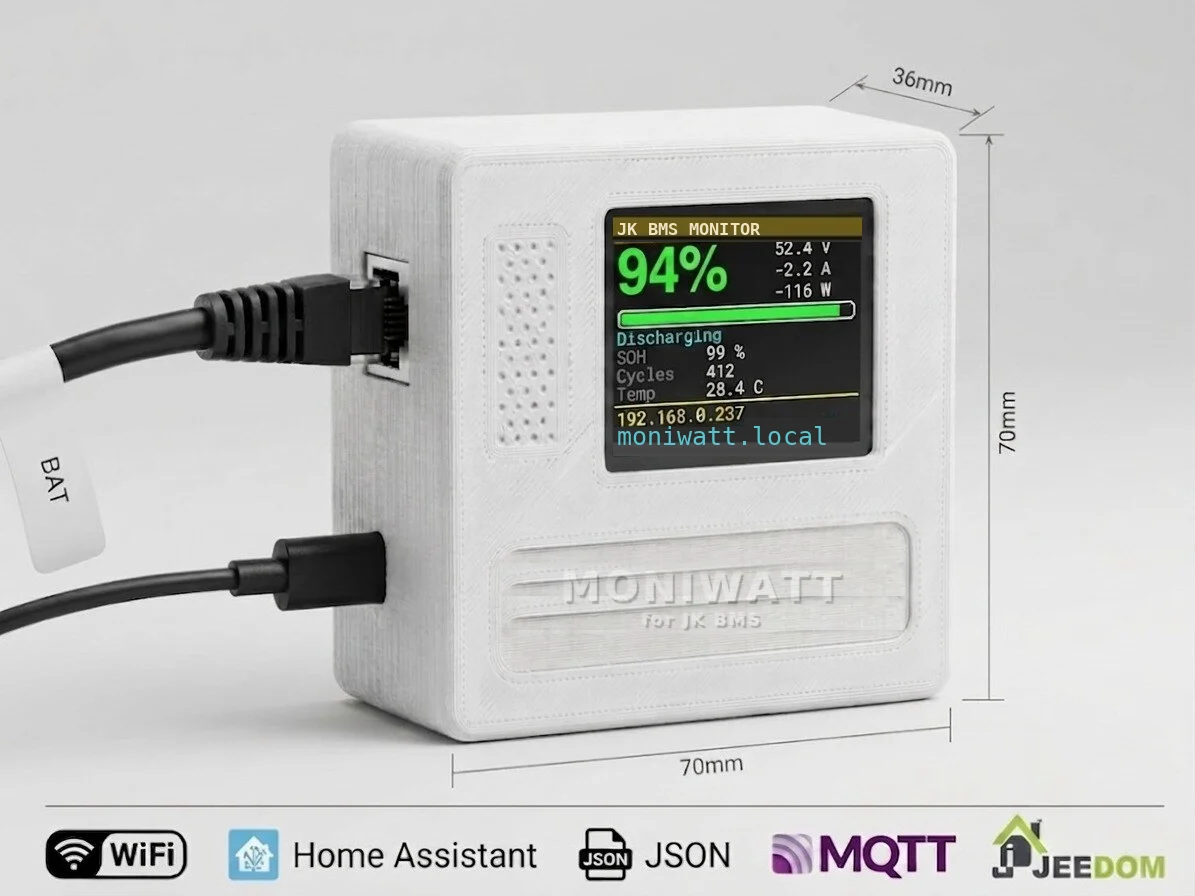
JK inverter BMS boards have RJ45 communication sockets for RS485 and CAN. The box connects to an RS485 socket with the supplied cable and is powered by USB-C. 70 × 70 × 36 mm, with a colour screen showing the essentials.
It shares its design with Pylon-Monitor, already monitoring Pylontech batteries across Europe, and uses our RS485 / CAN board with firmware written for the JK protocol.
Each box is prepared and tested in France before it ships, by the team that makes Pylon-Monitor for Pylontech owners.
Questions before buying? Write to [email protected]: a person answers.
€49.00
VAT not applicable (art. 293 B CGI) · shipping calculated at checkout
Ships on 10 November 2026 · free cancellation until dispatch
Order MoniWatt for JK BMS and read your pack over Wi-Fi from anywhere in the house.